Quick Answer
Job costing is the practice of tracking every dollar of revenue, labor, materials, equipment, and overhead against a specific project — so you know which jobs actually make money and which ones quietly drain it. For construction businesses, it’s the difference between guessing your margins and running a profitable, scalable company. Done correctly, job costing turns your bookkeeping from a tax-time chore into a real-time decision-making tool.
Why Most Contractors Don’t Know Which Jobs Make Money
Here’s a pattern we see constantly at Anchor Bookkeeping: a construction company finishes a $480,000 project, looks at the bank balance, and assumes it was profitable. Six months later, the books tell a different story — once labor overruns, equipment downtime, materials waste, change orders, and overhead allocation are accounted for, that “profitable” job actually cleared 4% margin instead of the 18% the estimator quoted.
By then, the same mistakes are baked into three more bids.
The root cause is almost always the same: costs go into one big bucket called “Construction Expenses” instead of being tracked job by job. Without job costing, you’re essentially flying blind — you can’t tell which project types, crews, or clients are profitable, and you can’t price the next bid with confidence.
What Is Job Costing in Construction?
Job costing is a method of cost accounting where every expense and every dollar of revenue is assigned to a specific project (or “job”) rather than to general business categories. Each job becomes its own mini profit-and-loss statement.
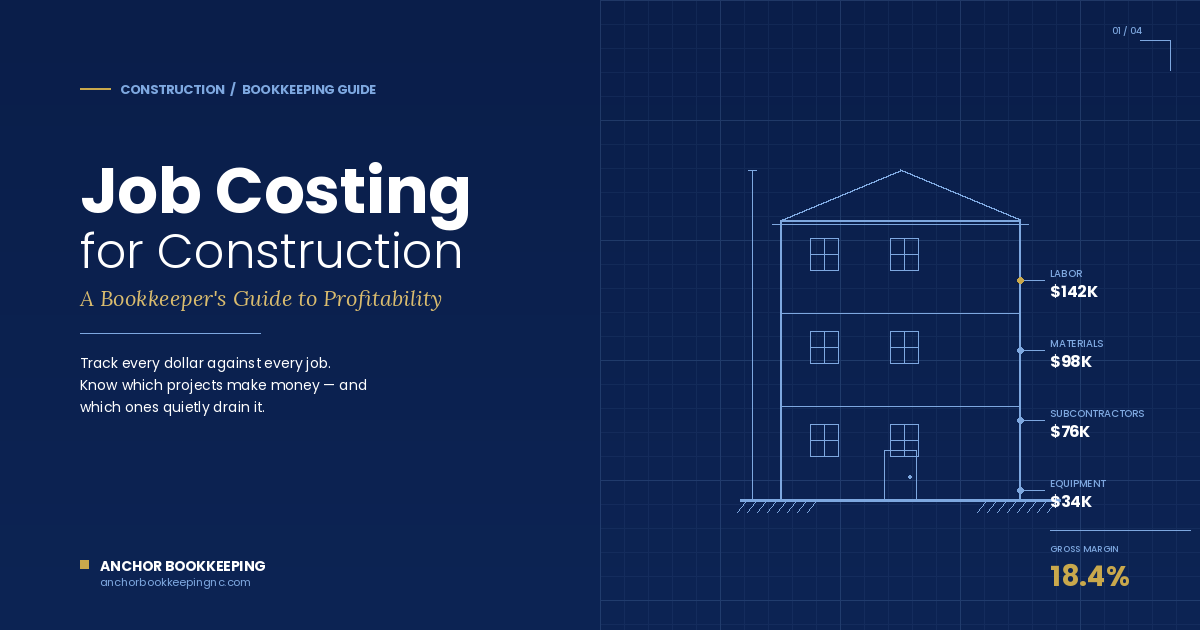
A complete job cost record includes:
- Direct labor — wages, payroll taxes, and benefits for workers on that job
- Direct materials — lumber, concrete, fixtures, and any other physical inputs
- Subcontractor costs — what you paid trade partners (plumbers, electricians, framers)
- Equipment costs — rentals, fuel, maintenance allocated to the job
- Other direct costs — permits, inspections, dump fees, project-specific insurance
- Allocated overhead — a share of office costs, insurance, and admin time
- Revenue — contract value, change orders, and any reimbursables
Subtract the costs from the revenue, and you have your true gross profit per job.
The 5 Core Cost Categories Every Construction Company Should Track
Before you can job cost, your chart of accounts has to be set up to support it. Most contractors using QuickBooks out of the box don’t have this — they have generic income and expense categories that lump everything together.
A construction-ready chart of accounts breaks costs into:
- Labor — Field labor, payroll burden (taxes, workers’ comp, benefits), and labor-related costs. This is usually 30–40% of total job costs and the easiest place to bleed money if it’s not tracked daily.
- Materials — Anything physically installed on the job. Track this separately from supplies (which are general business consumables).
- Subcontractors — Tracked by job and by trade. This makes 1099 prep at year-end painless and gives you data to renegotiate rates.
- Equipment — Owned equipment costs (depreciation, fuel, maintenance) and rentals. If you own equipment, you’ll need an internal hourly rate to allocate costs to jobs.
- Other Direct Job Costs — Permits, dumpsters, port-a-johns, project-specific insurance, travel, lodging.
Overhead (rent, office salaries, marketing, general insurance) stays separate and is allocated to jobs as a percentage — typically 8–15% of direct costs depending on your business.
How Job Costing Actually Works in QuickBooks
If you’re using QuickBooks Online Plus or Advanced, job costing is built in through the Projects feature. Here’s the workflow:
- Create a Project for every job, tied to the customer
- Tag every expense to a project as it’s entered — bills, checks, credit card charges, time entries
- Tag every income transaction (deposits, progress invoices, retainage) to the project
- Run the Project Profitability report to see income, costs, and margin in real time
QuickBooks Online Simple Start and Essentials don’t include the Projects feature, so contractors on those plans either need to upgrade to Plus, or use class tracking and customer-job hierarchies as a workaround. For most growing construction businesses, upgrading to Plus or Advanced pays for itself in the first month of clean job data.
If you’re on QuickBooks Desktop Contractor or Premier, the Items list and customer-job structure handle this natively, and you get more granular cost code reporting than QBO offers.
Why Buildertrend + QuickBooks Is the Setup We Recommend Most
For construction companies running multiple active jobs, spreadsheets break down fast. The setup that consistently works for our construction clients is Buildertrend integrated with QuickBooks — Buildertrend handles the project management side (estimates, change orders, daily logs, time clock, client communication) and pushes the financial data into QuickBooks where the books live.
When the integration is set up correctly, you get:
- Estimates that flow into invoices — no rekeying, no missed change orders
- Time entries from the field that automatically tag to the right job in QuickBooks
- Bills and POs that hit the right job cost accounts
- Real-time profitability without your bookkeeper manually matching transactions
The catch: most contractors set this integration up once, never audit it, and end up with miscoded transactions that quietly corrupt their job cost data. The mapping between Buildertrend cost codes and your QuickBooks chart of accounts has to be reviewed and cleaned regularly — that’s where a construction-experienced bookkeeper earns their fee.
The 4 Reports Every Contractor Should Read Weekly
Once job costing is running, your books should answer four questions every week:
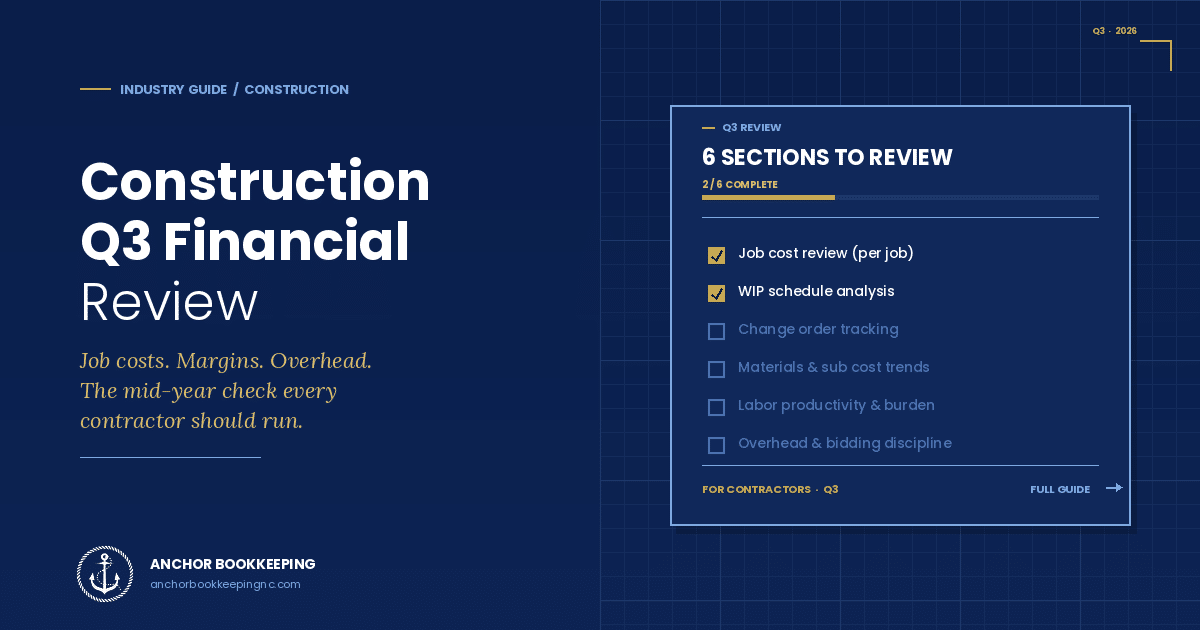
- Job Profitability Summary — For each active job: contracted revenue, costs to date, costs to complete, and projected gross margin. This is your early-warning system.
- Work in Progress (WIP) Report — Shows over- and under-billings on every active job. Critical for cash flow and required by most bonding companies and lenders.
- Estimate vs. Actual — Where are real costs running ahead of what you bid? This data feeds directly back into more accurate future estimates.
- Cash Flow Forecast by Job — Maps incoming progress payments against outgoing payroll, materials, and subcontractor draws so you can see liquidity gaps before they happen.
Without these four reports, you’re managing the business from the bank balance — which, in construction, is the most misleading number you can look at. Cash in the account today is often money owed to subs and suppliers tomorrow.
Common Job Costing Mistakes That Cost Contractors Money
Even contractors who think they’re job costing often have leaks. The most expensive mistakes we see:
- Not allocating labor burden — tracking gross wages but ignoring the 20–30% on top in payroll taxes, workers’ comp, and benefits. Your “labor cost” is actually 25% higher than what’s on the timecard.
- Coding materials to the wrong job — when a truck picks up materials for three jobs and the receipt gets coded to whichever one was on the boss’s mind. Spread evenly, this can shift margins by 5–10 points per project.
- Ignoring change orders in cost tracking — billing for the change order but not budgeting the additional cost, so it looks like the job got more profitable when it actually got more expensive.
- No retainage tracking — leaving 5–10% of revenue stranded and uncollected because there’s no system to flag it when a job closes.
- Treating equipment as overhead — instead of charging an internal hourly rate to jobs, which understates job costs and overstates margins.
- Skipping WIP entries — leading to wildly distorted monthly P&Ls that swing from “great month” to “terrible month” based on billing timing instead of actual job performance.
Each of these can be fixed in a clean-up project, and once the system is running correctly, they don’t come back.
How Job Costing Pays for Itself
Construction companies that implement clean job costing typically see three things happen within 90 days:
- Bidding accuracy improves — historical job data replaces gut feel, and bid-to-win margins tighten
- Underperforming work gets identified — whether it’s a specific project type, client, or crew, you can see where the leaks are
- Cash flow stabilizes — because you’re billing on time, tracking retainage, and seeing problems before they hit the bank account
For a $2M construction business, recovering even 3 points of gross margin through better job costing is $60,000 a year. That’s typically 10× what professional bookkeeping costs.
Frequently Asked Questions
What’s the difference between job costing and project accounting?
Job costing is one component of project accounting. Job costing focuses specifically on tracking direct and indirect costs against revenue per job. Project accounting is broader — it includes job costing plus revenue recognition methods (percentage-of-completion vs. completed contract), WIP reporting, and longer-term financial planning across a portfolio of projects.
Can I do job costing in QuickBooks Online?
Yes — but only on the Plus or Advanced plans, which include the Projects feature. Simple Start and Essentials don’t support proper job costing. QuickBooks Desktop Premier Contractor and Enterprise Contractor offer more advanced job costing features including item-level cost codes.
How often should I review my job cost reports?
Weekly during active jobs. Margins erode in days, not months — by the time a quarterly report shows a problem, the project is usually finished and the money is gone. A 15-minute weekly review of job profitability and WIP catches issues while you can still act on them.
Do I need a construction-specific bookkeeper?
For construction businesses doing more than $500K in annual revenue, yes. General bookkeepers can handle data entry, but job costing, WIP reporting, retainage tracking, and Buildertrend/QuickBooks integration require industry-specific knowledge. The cost of getting it wrong — bad bids, IRS audit issues, lost bonding capacity — far exceeds the cost of working with a specialist.
What’s WIP and why does my bonding company want it?
WIP stands for Work in Progress. A WIP report shows every active job’s contract value, costs incurred to date, percentage complete, billings to date, and over- or under-billing position. Bonding companies, lenders, and CFOs use it to assess financial health because it reveals whether you’re billing ahead of work performed (a cash flow risk for clients) or behind (a cash flow risk for you).
How long does it take to set up proper job costing?
For a contractor with clean books, a properly structured job costing system can be built in 2–3 weeks. For a contractor whose books need cleanup first, plan on 4–8 weeks total — the cleanup phase is where most of the time goes, but it’s also where most of the value is unlocked because you finally get accurate historical data to bid against.
Ready to Get Job Costing Right?
At Anchor Bookkeeping, we specialize in construction bookkeeping for growing contractors — including full Buildertrend and QuickBooks integration, job-by-job profitability reporting, and WIP schedules your bonding company will actually accept. As QuickBooks Platinum ProAdvisors based in Charlotte, NC and serving construction businesses nationwide, we help you turn your books from a tax-time burden into a real-time decision-making tool.
→ Get your construction bookkeeping plan
About the Author
Jenny Rodriguez is the Founder & CEO of Anchor Bookkeeping & Tax Solutions, based in Charlotte, NC. With over 10 years of experience supporting construction, trucking, legal, and real estate businesses, Jenny is a QuickBooks Platinum ProAdvisor and bilingual financial professional (English/Spanish). She founded Anchor in 2016 to give growing businesses the financial clarity and proactive support they deserve.
Browse Resources by Topic
Reach Out for Expert Guidance
Contact Anchor Bookkeeping and Tax Solutions today for tailored support in managing your financial needs. Our team is ready to provide personalized assistance to help you achieve your financial goals.